
Unity GLSL Shaders

Posted by on Jun 11, 2011 in Featured, Portfolio, Unity | 7 comments

Unity GLSL Shaders

Hello Again,

In an earlier post of mine about WebGL I describe a few methods to enable WebGL on a Mac (Safari) the reason I did this was to view a few interesting shaders.. Now comes the cool part..
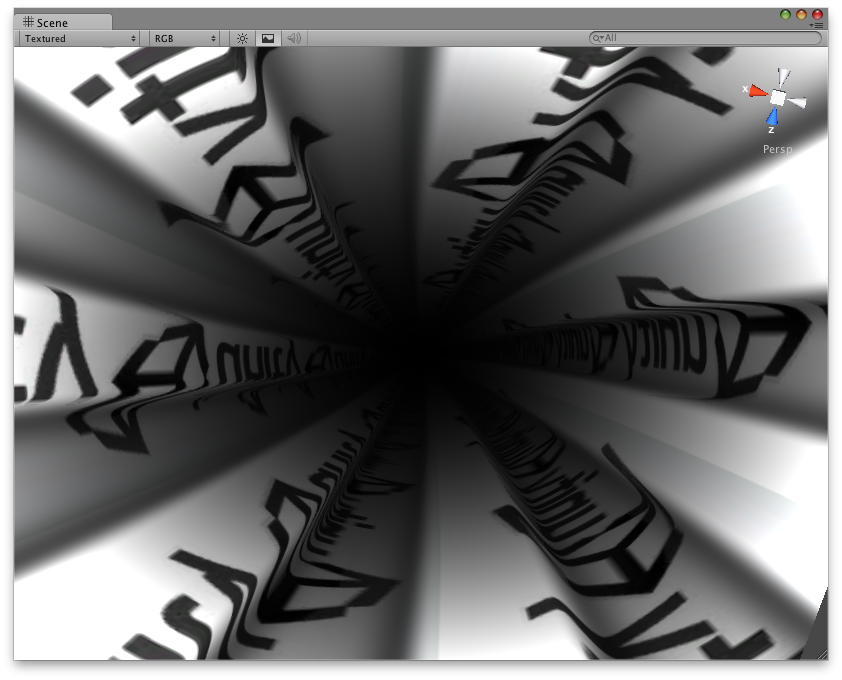
I actually got those same GLSL shaders I wanted to view running in Unity (yes for me that is a big thing).. Check out a few of these screenshots I took… It wont be long now and I may even integrate them into Image Effects on Cameras..
If only I didn’t suck at math so much I’d be able to write these kinds of shaders myself. I think I should write-up a tutorial of some kind on how to do this basic conversion to give people a starting point, let me know what you think.

Take a look and take care.

[Update]
Here’s a Link to the Unity Shaders based on the Shader Toy Shaders: ShaderToy GLSL Shaders (486)

For the Mecury fans [if you want to join in on this project let me know]:

hg clone https://bitbucket.org/ikriz/unity-shaders

More On the Subject:

[/Update]

[ad]

[credits]
Of course credits are by all means due to the creators of the shaders: Adrian Boeing, Auld, Danguafer/Silexars, Lars Huttar, L.Mallet, Mic, Psycho/Loonies, Paulo Falcao, Simon Green/NVidia, Tigrou, Viktor Korsun, W.Yutani, XT95/FRequency, xTr1m/BluFlame and iq/rgba (from shader toy site)
[/credits]


7 Comments

  1. Hi there!

    I like to know more about how you maked the WebGL shaders run in Unity? I am currently trying to convert this tunnel shader to Unity3D:

    http://adrianboeing.blogspot.com/2011/01/webgl-tunnel-effect-explained.html

    But I am not sure if I have to rewrite the shader syntax or if I can import WebGL shaders into Unity3D – can you answer that?

    I would also appreciate if you would share your Unity3D shaders – that would make the post much more valuable and attract commments :-)

    Cya

    • Thanks for the comment and the link as well, it definitely explains the process well :)
      I’ll post the collection of shaders I converted. They currently do require Unity to be running in OpenGL mode [at least for windows it does... on mac it works for sure].

  2. Thanks, that is just great! The shaders will come in handy as references for my next project. I also found some GLSL Unity basic tutorial that may be of interest:

    http://ippomed.com/unity/howto-write-a-glsl-es-2-0-shader-for-unity-3d/

  3. Hi,
    Thanks for sharing the code.

    Keep it up :)

  4. Hey, really cool shaders, but isn’t there a way to use these shaders in directx mode in Unity?

  5. hi,
    i’ve got a black screen in unity :(

  6. Hey man, great work, appreciate you sharing. This may be a little noobish, but how do I get your shaders to work in Unity on windows?

    Any help would be ace, cheers

Leave a Reply

Your email address will not be published. Required fields are marked *

You may use these HTML tags and attributes: <a href="" title=""> <abbr title=""> <acronym title=""> <b> <blockquote cite=""> <cite> <code> <del datetime=""> <em> <i> <q cite=""> <strike> <strong>